
Eureka! Timer
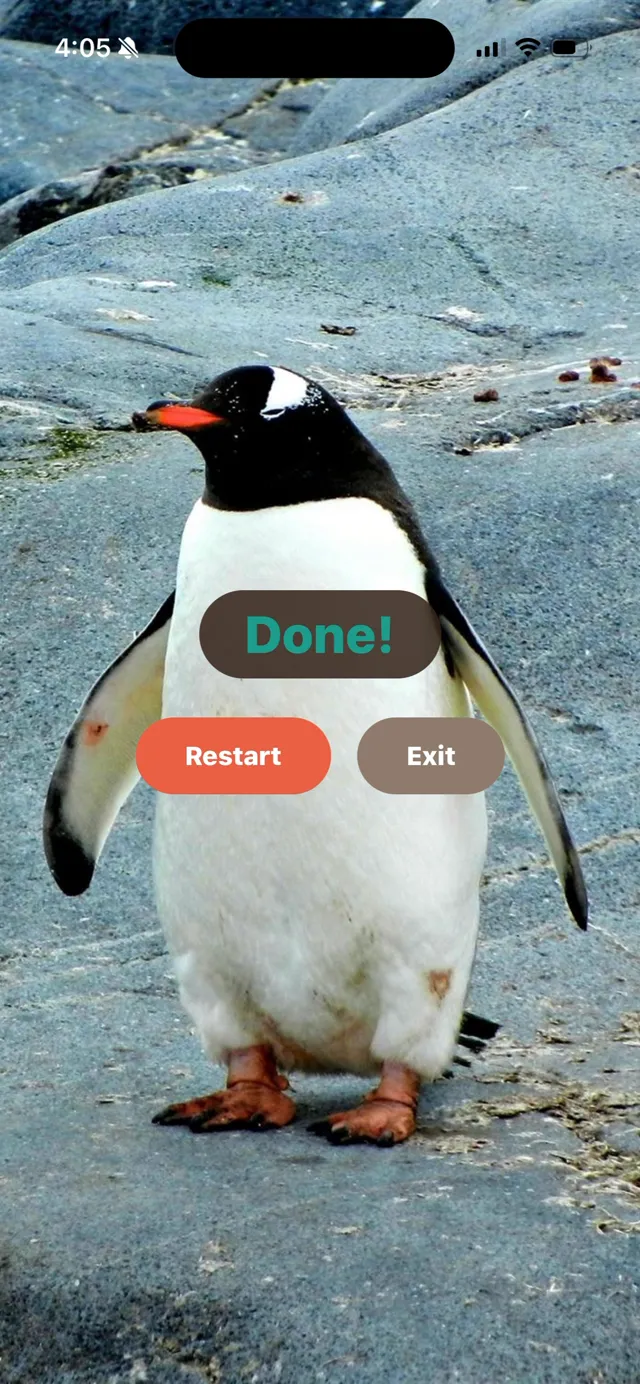
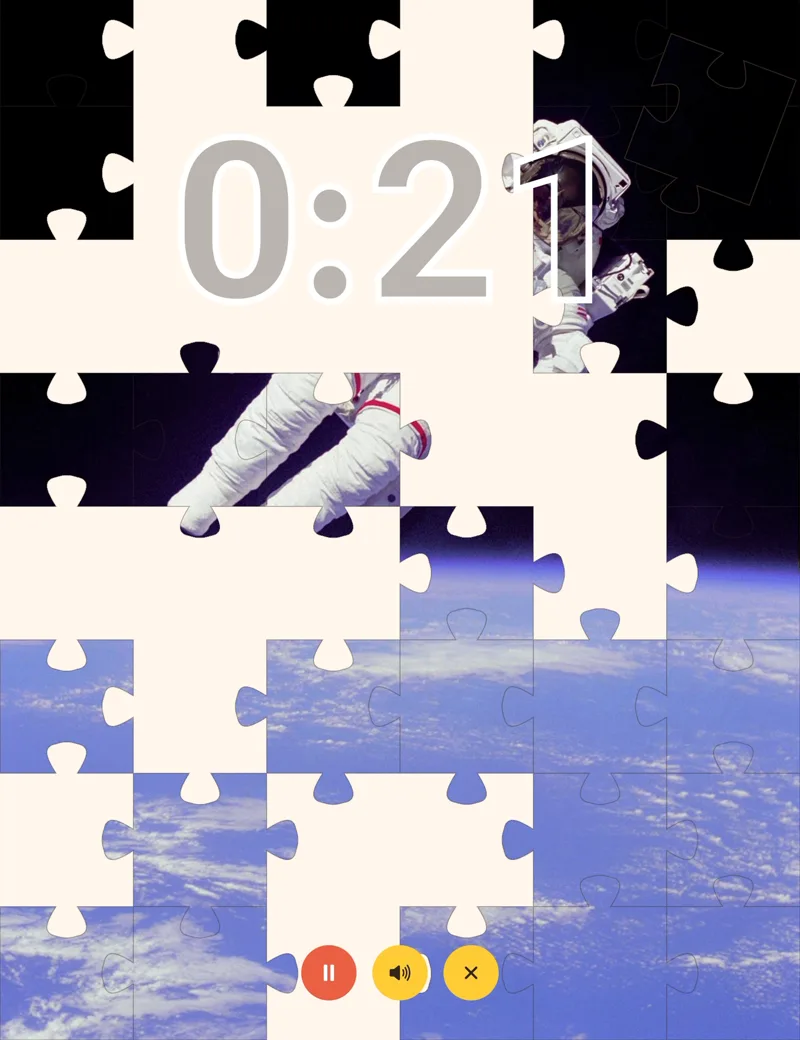
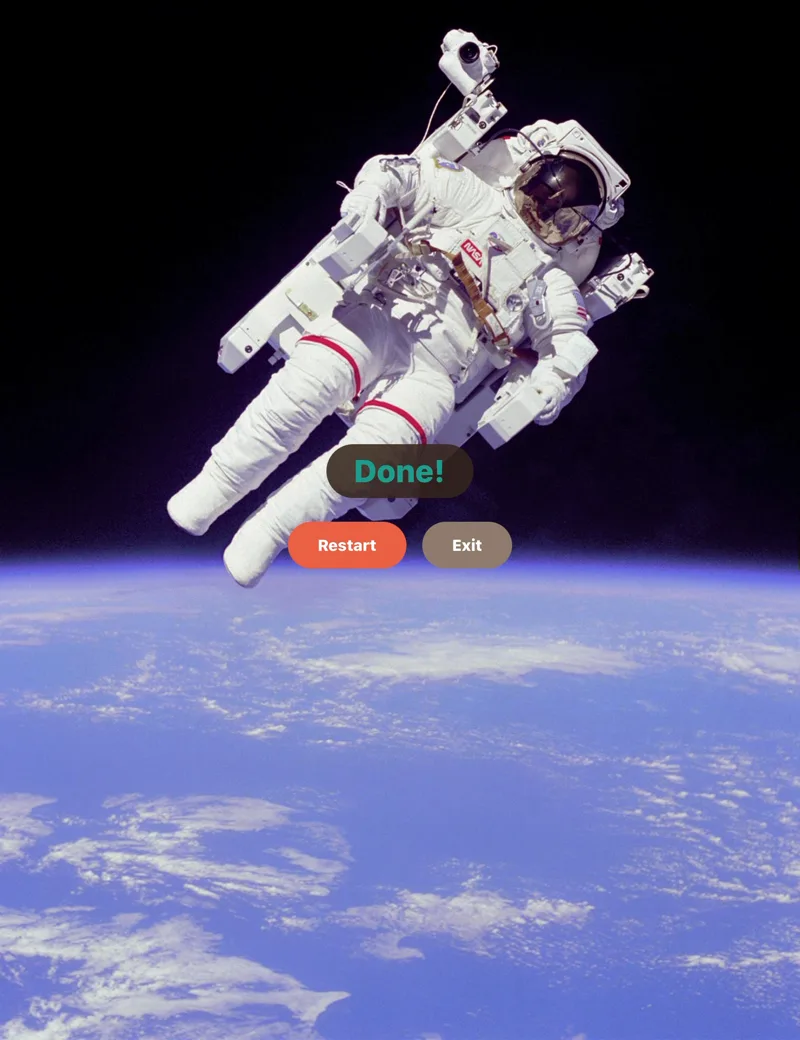
Eureka! Timer is a visual countdown timer for children. Instead of numbers ticking down, a hidden picture uncovers itself as the time runs out, and it finishes exactly when the timer does. It is free, has no in-app purchases, and works with no internet connection.
- Free
- No in-app purchases
- No accounts
- Works offline
- iPhone, iPad and Android
- English, Spanish, French, German, Portuguese
What it looks like
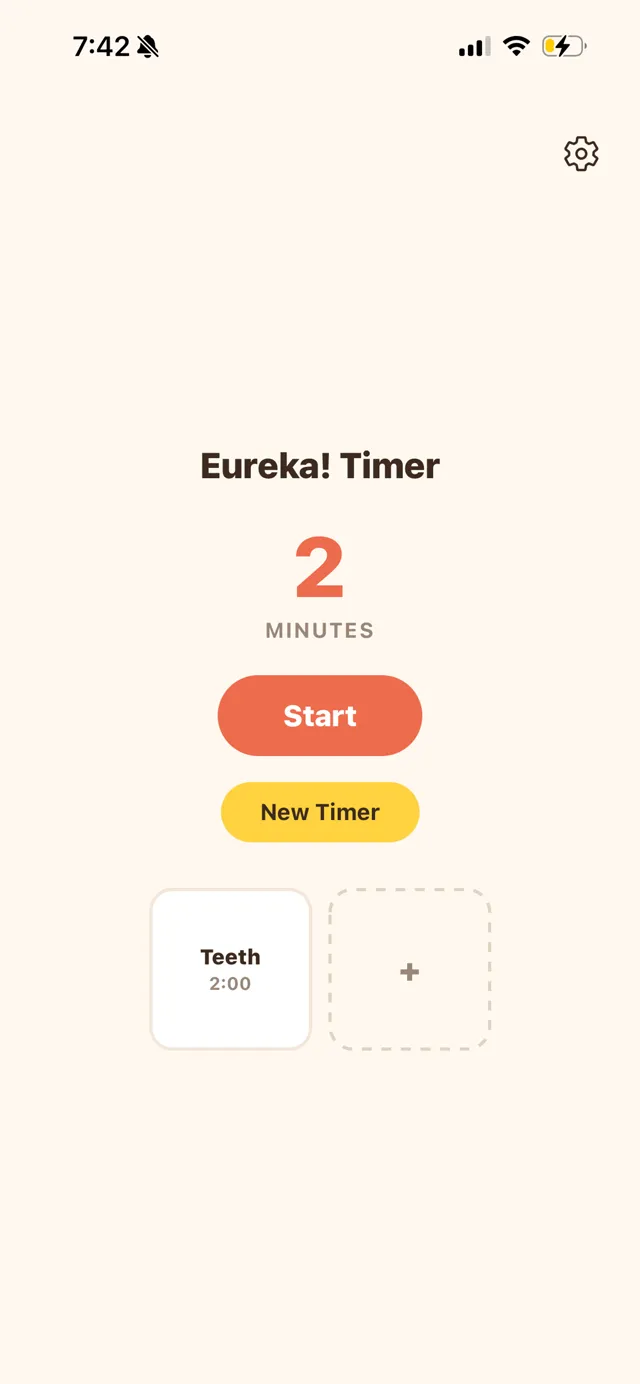
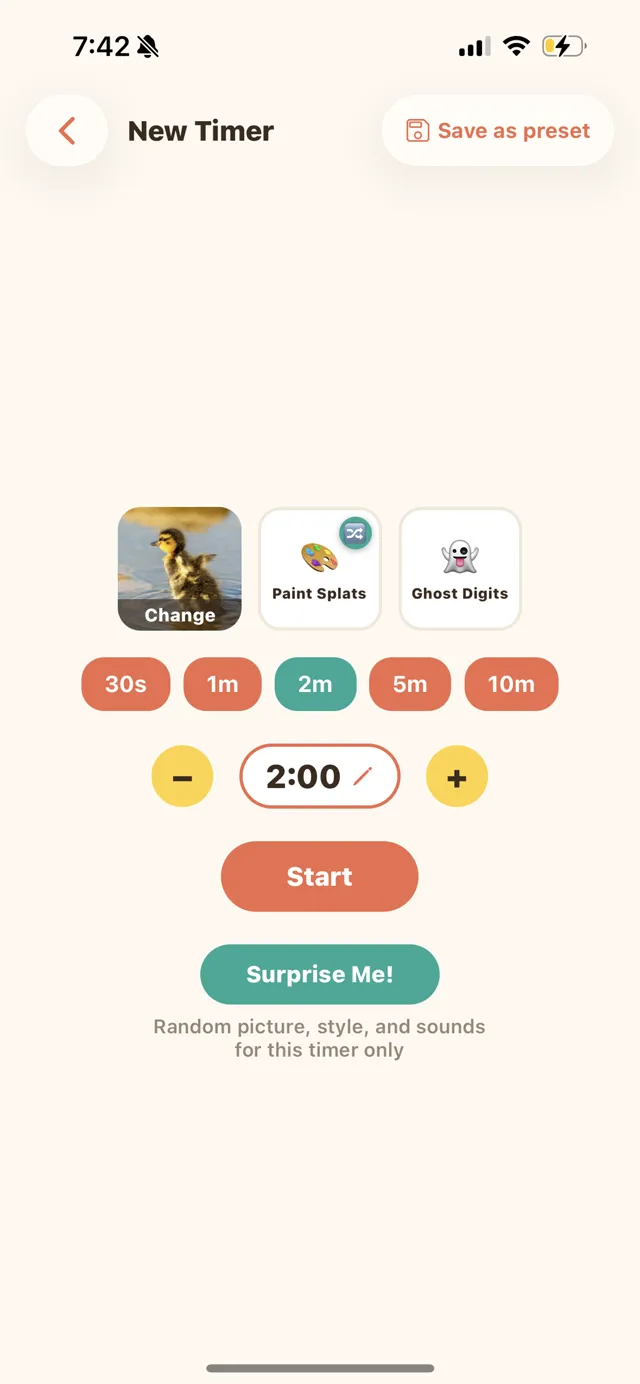
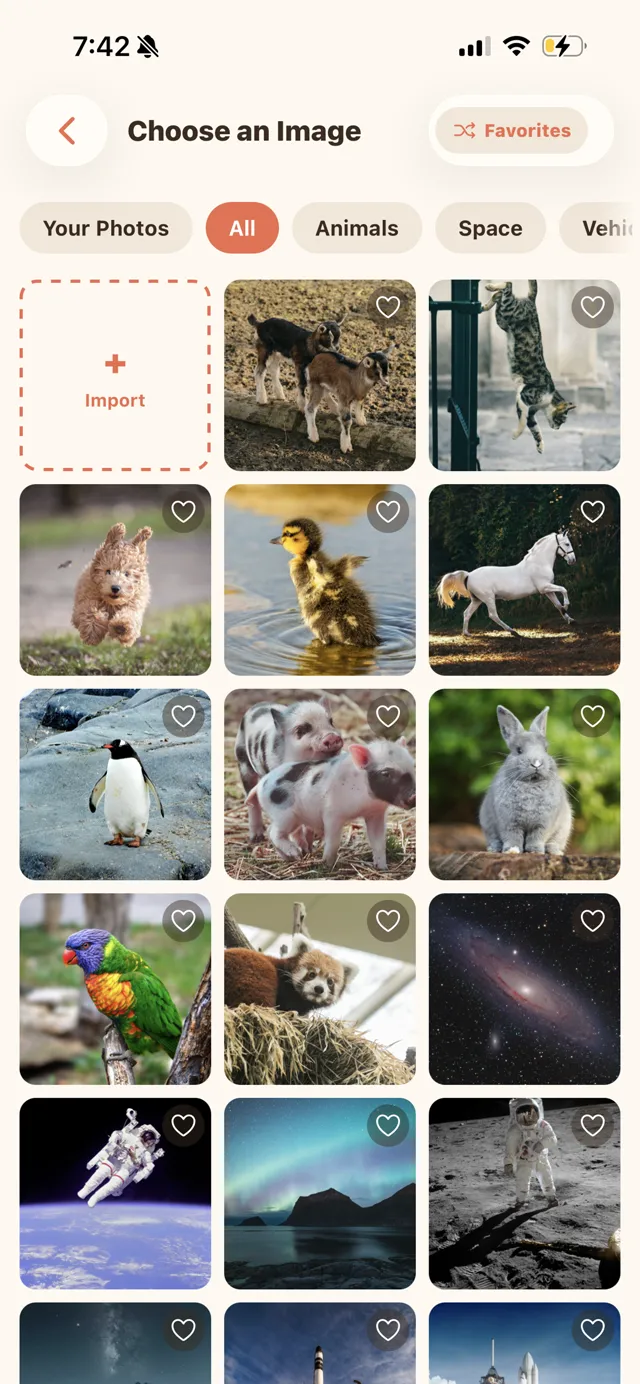
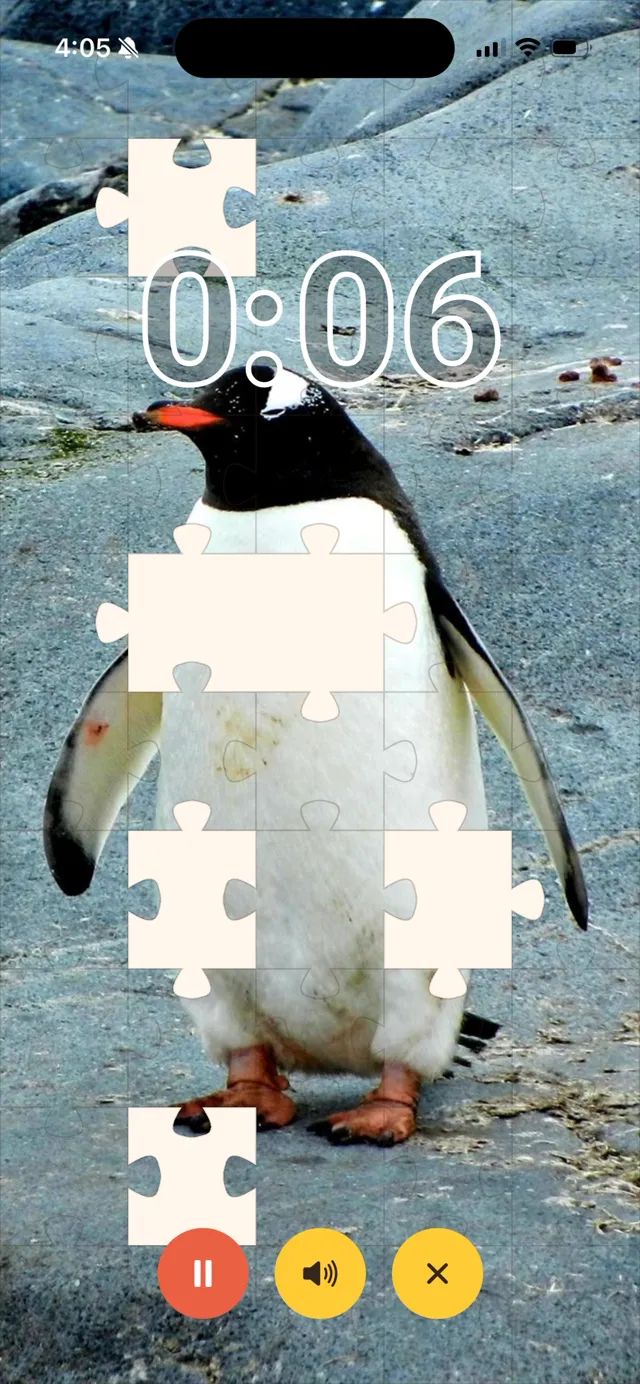
On iPad:
How it works
Pick how long
Anywhere from fifteen seconds to an hour.
Pick a picture
Forty-eight real photographs come built in, or import your own.
Pick how it is uncovered
Ten reveal styles: puzzle pieces landing one at a time, paint splattering across the screen, a curtain pulling back, a blurry photo sharpening into focus, a clock-hand wipe, and more.
What it’s for
Eureka! Timer is used for the parts of the day that stall: brushing teeth, getting dressed, chores, cleaning up, ending screen time, and bedtime routines. It also covers the short waits a kitchen timer is clumsy for — handwashing, potty training, taking turns with a sibling, or a transition warning before leaving the house.
A child who cannot read a clock yet can still see how much time is left. So can a child who has no sense of how long “five more minutes” is, which is why a visual timer is a common recommendation for children with ADHD or autism. Teachers can use it in classrooms for the same reason parents can use it at home.
It is the same idea as a sand timer, except the sand is a photograph.
Questions
Does Eureka! Timer work without an internet connection?
Yes. Eureka! Timer works completely offline. It has no accounts and no server, so nothing it does needs a connection.
Are there ads during the timer?
No. Eureka! Timer shows one banner ad, on the home screen only. It never appears while a timer is running or on the finished picture, and it can be turned off permanently in Settings at no cost.
Can I use my own photos?
Yes. You can import as many of your own photos as you want, crop them so they fit in both portrait and landscape, and mark favorites so the app can pick one at random. Forty-eight real photographs are built in if you would rather not.
Does Eureka! Timer work on iPad?
Yes. Eureka! Timer runs on iPhone, iPad, and Android phones and tablets.
What ages is Eureka! Timer for?
It is built for children who cannot read a clock yet, or who have no sense of how long “five more minutes” is — roughly ages two to eight, though it can also be used in classrooms with older children.
Is Eureka! Timer really free? Are there in-app purchases?
Yes, it is free. There are no in-app purchases, no subscription, no paid tier and no trial. Nothing in the app is locked.
Support
Eureka! Timer is made by Dodge Tech LLC. For help, questions, or bug reports, email support@dodge-tech.com.
Enjoying Eureka! Timer? Support development on Ko-fi ☕